
Brokers
Business Bay Off-Plan Guide for Brokers: Live Inventory & Offers
Clients say “something in Business Bay.” This guide covers what the canal-side district means, how brokers shortlist live off-plan units, and where OPPS inventory lives.
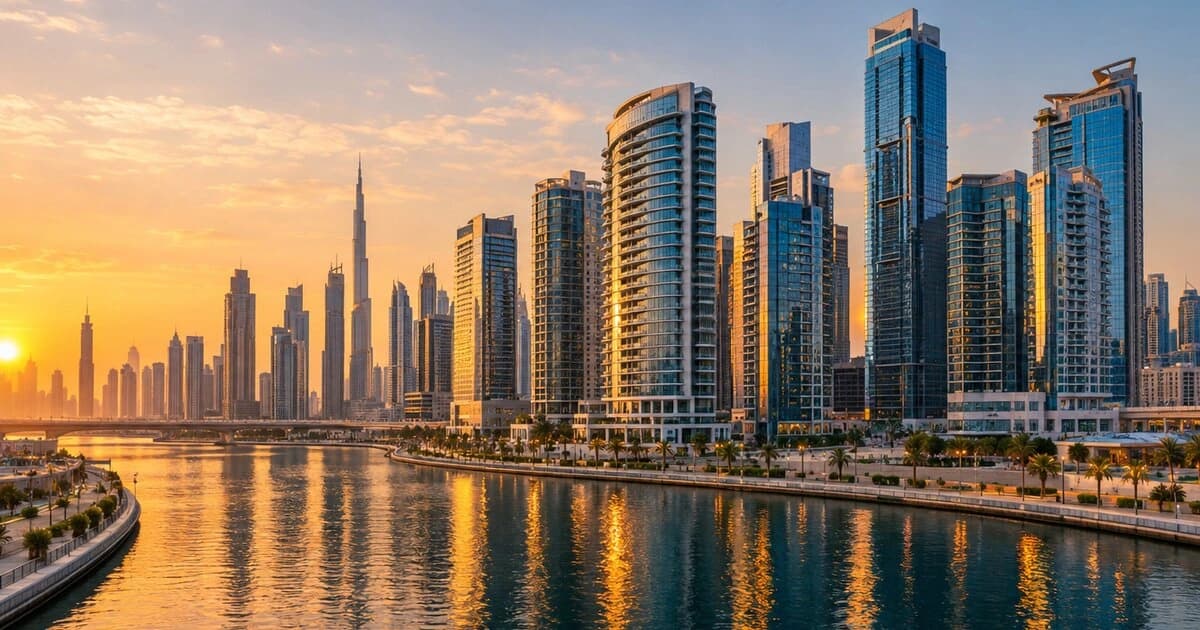
When a client texts “something in Business Bay,” they rarely want a Downtown map lesson. They mean the canal-side district next to Downtown Dubai — mixed commercial and residential towers, hotels, and promenades along the Dubai Water Canal — and they want options that still exist, not last week’s brochure.
This guide is for brokers (and agency desks that coach them) who need a clean business bay off plan workflow: what the district is, how Business Bay briefs differ from Marina, JLT, JVC, or Downtown conversations, and how to shortlist from live inventory instead of a stale PDF.
OPPS is an off-plan inventory and offer workbench for professionals. It is not a regulator and it does not replace RERA, Trakheesi, or DLD processes. Confirm availability and commercial terms with the developer or authorised seller before a client commits.
Start on the live Business Bay district page, browse projects, or open the broker product and signup.
What Business Bay is (orientation for the desk)
Business Bay is a lively, mixed-use community next to Downtown Dubai, spanning both sides of the Dubai Water Canal. Public district copy on OPPS describes a blend of commercial, residential, and leisure spaces — hotels and restaurants alongside sleek residential towers, Bay Avenue Mall, jogging and cycling tracks along the canal, and everyday services such as schools, clinics, and banks. Road access via Sheikh Zayed Road and Al Khail Road, plus the Business Bay metro station and water taxis, usually arrives in the same WhatsApp brief as ordinary buyer filters (beds, budget, handover, view preference).
Treat that as orientation, not a substitute for unit-level due diligence on canal views, parking, service charges, or handover timing. For place-hopping beyond one district, use the districts index. For this article, stay focused on how professionals sell off-plan inside Business Bay — naming clarity first, then a desk workflow that survives a fast client brief.
Search language is messy on purpose. Clients type Business Bay, “BB,” or “near Downtown / canal” in the same thread. Brokers searching business bay off plan, business bay off plan projects, or business bay dubai off plan are usually hunting the same thing: new-build stock in this district that is still available to offer.
Why brokers get Business Bay briefs (vs Marina / JLT / JVC / Downtown)
Business Bay briefs often sit next to Marina, JLT, JVC, or Downtown in the same chat. Clients may want canal-side towers without a pure Downtown price conversation, a mixed commercial–residential address, proximity to Sheikh Zayed Road and metro, a specific payment-plan shape, or a developer name they already trust (Binghatti, Damac, Ellington, and others appear in search language — treat those as preference filters, not a pitch script). Your job is not to invent a ranking of “best district” — it is to match beds, budget, handover, and payment-plan comfort to units that still exist.
A practical distinction for the desk: Marina conversations often open with waterfront lifestyle language; JLT conversations often open with lake-cluster towers and metro convenience; JVC conversations often open with community amenities and circular neighbourhood orientation; Business Bay conversations often open with canal proximity, Downtown adjacency, and mixed-use tower living. All can be premium. None should be sold from a PDF that is older than the last developer update.
If the client’s pain is personal offer speed rather than district education, pair this guide with our earlier Dubai brokers off-plan workflow. For sibling district walkthroughs in the same voice, see the JLT Dubai off-plan guide, the JVC Dubai off-plan guide, and the Dubai Sports City off-plan guide.
Shortlist live Business Bay off plan without stale PDFs
The expensive mistake is quoting a unit that sold yesterday. Before you promise a canal view, floor, or price:
- Open live inventory — start from the Business Bay district page or projects.
- Filter to the brief — bedrooms, budget band (AED), handover window, payment-plan shape where published.
- Shortlist two or three real options — same brief, clear trade-offs (price vs view vs handover vs amenities).
- Confirm anything missing — if a field is blank, escalate to the developer channel; do not guess.
- Send a branded offer — your name and contact on one document the client can forward.
OPPS is built so developers publish availability into the same network brokers and agencies consume. That is the opposite of rebuilding a spreadsheet from group-chat screenshots — and it is how you keep business bay off plan pitches honest when launches move quickly.
At the time of writing, the live district page lists projects for Business Bay on OPPS (roughly ninety listings on the page). Use the live count on the district page itself — do not freeze a number into a WhatsApp pitch that outlives the feed.
Filters that map to WhatsApp briefs
Train the desk on filters that match how clients actually ask. A typical Business Bay message looks like “1–2 bed under X, canal / Downtown side, handover 2026–2027-ish” — not “show me every tower between Sheikh Zayed Road and the canal.”
- District / community — Business Bay first; widen via districts only when the brief is still exploring
- Bedrooms and price band in AED
- Handover year or window
- Payment-plan shape where the developer publishes it
- Product type — apartment vs hotel-residences / branded product when the brief is clear
- Developer preference (“Binghatti / Damac / Ellington / show me options”)
You are matching a new-build product to a buyer brief — not browsing mixed secondary+off-plan noise. Filters built for off-plan cut that clutter so you spend minutes comparing real units instead of hours chasing availability.
Branded offers: shortlist → client-ready PDF
Speed wins trust in Business Bay the same way it does everywhere else in Dubai off-plan. Once you have two or three credible options:
- Pick the units from live inventory
- Generate a white-labelled offer with your name and contact
- Share via WhatsApp or email while the conversation is hot
Clients should see you, not the platform. A clean offer that states project, unit basics, and payment schedule (when published) beats a forward of someone else’s brochure. Walkthrough and product detail sit on for brokers; account creation is on signup.
When the buyer’s next question is the instalment schedule, do not invent percentages. Read the plan on the unit or project, confirm with the developer, and use our Dubai off-plan payment plans guide to explain booking, construction, and handover language in plain English.
Where OPPS Business Bay inventory lives
Use the right URL for the job so internal links and client bookmarks stay stable:
- District overview + project list → Business Bay
- UAE-wide browse / filters → projects
- Broker desk workflow → for brokers
- Agency website / CRM / database path → for agencies and the UAE off-plan database guide
- Developer publishing into the network → developers
Do not invent alternate district slugs. The live path is `/districts/dubai-business-bay` — shorter guess URLs such as `/districts/business-bay` are not reliable and can soft-404.
Light compliance note (inventory ≠ licence)
OPPS helps you find and present off-plan inventory. Licensing, broker practice cards, and advertising permits sit with Dubai’s official bodies. Keep Trakheesi / DLD hygiene current when you market publicly, and point counterparties to official verification channels when they ask. For a longer broker-facing orientation on RERA, Trakheesi, and DLD, see the Dubai brokers off-plan guide.
Bottom line: use OPPS for Business Bay inventory and offers; use official channels for licence and ad-permit status. Confirm commercial terms with the developer before a client commits.
Checklist before pitching the next Business Bay unit
- Confirm the brief — beds, budget, handover, payment-plan comfort, any canal / Downtown / view preference.
- Search live Business Bay inventory — district page or projects.
- Shortlist 2–3 real options — clear trade-offs, no stale PDF reliance.
- Generate a branded offer — your contact, client-ready.
- Share in-channel — WhatsApp or email while the thread is hot.
- Compliance hygiene — valid practice card; correct ad permit before public marketing.
- Follow up with updates — if availability moves, send a revised offer, not a vague “let me check.”
FAQ
Is Business Bay only offices?
No. Despite the name, the district is mixed commercial and residential — hotels, retail, and residential towers sit alongside office stock. On OPPS, browse off-plan as Business Bay.
Does OPPS show secondary resale in Business Bay?
No. OPPS is off-plan by design. Secondary listings belong on other products.
Can agencies put the same Business Bay feed on their website?
That is the agency / database path — see for agencies and the off-plan database guide. Brokers still use the personal offer workflow on for brokers.
Where should “business bay off plan projects” or “business bay dubai off plan” intent land?
Browse intent belongs on the Business Bay district and projects pages. This article owns the broker explanation and workflow around business bay off plan.
Next step: browse Business Bay projects and start free
Business Bay briefs reward brokers who are fast, accurate, and clear on paper. Live inventory and branded offers fix the first two; official licensing channels keep the third grounded.
Practical next steps:
- Business Bay district + live projects → opps.ae/districts/dubai-business-bay
- UAE-wide inventory → opps.ae/projects
- Broker product → opps.ae/for-brokers
- Free account → opps.ae/signup
- Sibling guides → Dubai brokers off-plan · JLT off-plan · JVC off-plan · Sports City off-plan · Payment plans · UAE off-plan database
Sell the next Business Bay brief from data you can defend — and keep regulatory questions pointed at official DLD / Trakheesi channels.
- business bay
- off-plan
- brokers
- dubai districts
- dubai canal
Explore live inventory
Browse off-plan projects, developers, and districts across the UAE on OPPS.
Related articles
JVC Off-Plan Guide for Brokers: Live Inventory & Offers
Clients say “something in JVC.” This guide covers what Jumeirah Village Circle means, how brokers shortlist live off-plan units, and where OPPS inventory lives.
Read article
Dubai Sports City Off-Plan Guide for Brokers: Live Inventory & Offers
Clients say “something in Sports City.” This guide covers what Dubai Sports City means, how brokers shortlist live off-plan units, and where OPPS inventory lives.
Read article
JLT Dubai Off-Plan Guide for Brokers: Live Inventory & Offers
Clients say “something in JLT.” This guide covers what JLT Dubai means, how brokers shortlist live off-plan units, and where OPPS inventory lives.
Read article